Renting a Car with English Navigation: How to Ensure Your GPS is Tourist-Friendly
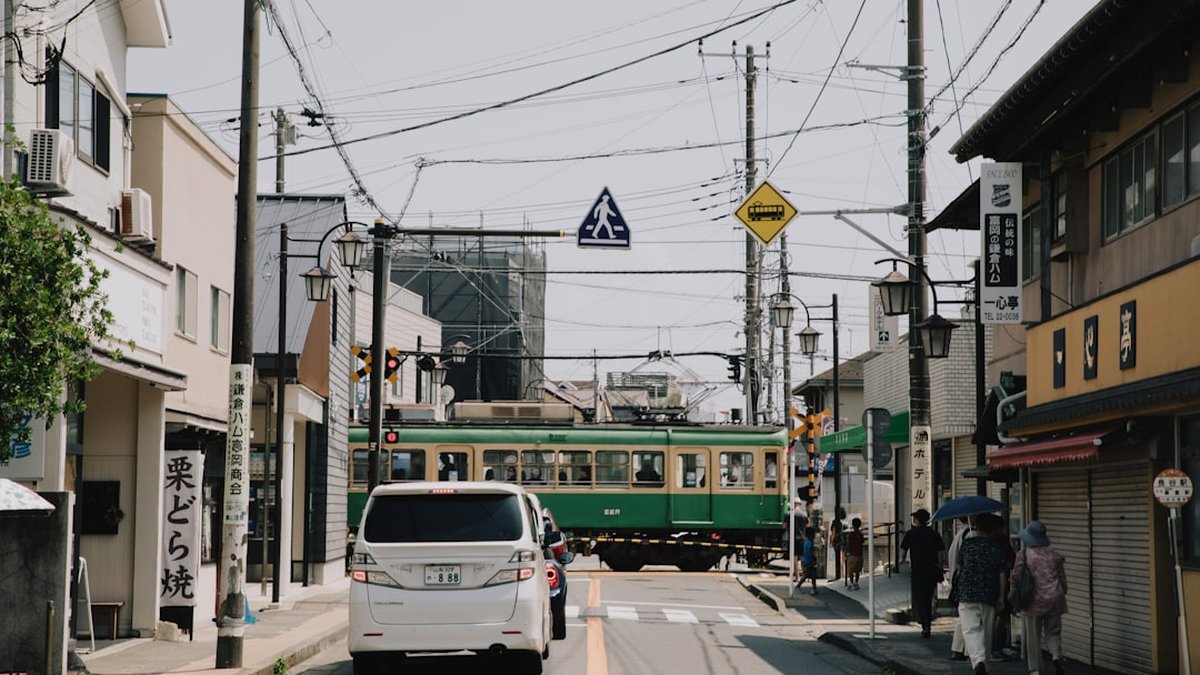
Embarking on a road trip through Japan offers an incredible sense of freedom, allowing you to discover remote hot spring villages, hidden coastal shrines, and spectacular mountain vistas that are inaccessible by train. However, the prospect of navigating a foreign road network, complete with complex multi-level interchanges and signs written in kanji, can be deeply intimidating for international tourists.
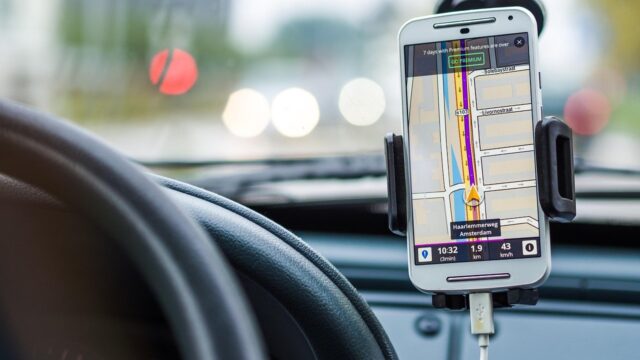
While smartphone navigation apps have revolutionized global travel, relying solely on them in rural Japan or during intricate highway transitions can be a stressful mistake. The most critical tool for a smooth and enjoyable driving experience in Japan is a built-in, multi-lingual car navigation system (カーナビ – car navi).
These sophisticated GPS units are deeply integrated with the Japanese traffic infrastructure, providing real-time routing that generic smartphone apps often miss. But securing an English-friendly system is not always an automatic process.
This comprehensive guide will explain exactly how to ensure your rental vehicle is equipped with a tourist-friendly navigation system. We will explore the unique search methods used in Japan—specifically the indispensable “Mapcode” system—and provide the essential steps you must take at the rental counter before you ever shift into drive.
1. Why Built-in Navigation is Superior to Smartphones in Japan
In many Western countries, simply mounting your smartphone to the dashboard and using Google Maps or Apple Maps is the standard procedure for road trips. However, doing this in Japan comes with several significant drawbacks that can severely impact your journey.
The first major issue is cellular reception. While Japan’s 4G and 5G networks are excellent in urban centers, they can quickly drop to zero when you venture into the deep mountains of Nagano or the remote coastlines of Shikoku.
A built-in car navigation system relies on satellite GPS rather than a cellular data connection, ensuring you are never left staring at a blank, buffering map in a critical intersection. For an example of a route where reliable navigation is essential, read our guide on the Fukuoka to Beppu Road Trip: A Journey Through Kyushu’s Hot Springs.
Precision Routing and Lane Guidance
Beyond the reliability of satellite connectivity, the built-in Japanese navigation systems offer a level of precision routing that smartphone apps struggle to match. Japanese expressways often feature incredibly complex, multi-tiered interchanges, especially in urban areas like Tokyo or Osaka.
A high-quality built-in GPS provides detailed, 3D visual representations of these interchanges on the screen. More importantly, it offers highly accurate lane guidance, telling you exactly which of the four lanes you need to be in several kilometers before the exit.
Smartphone GPS can sometimes lag by a crucial second or two, causing you to miss a rapid transition. Furthermore, the built-in systems are often linked to the Vehicle Information and Communication System (VICS), which receives real-time radio broadcasts regarding traffic jams, accidents, and road closures, automatically calculating the most efficient detours.
2. Requesting Multi-Language Support During Booking
The vast majority of modern rental cars in Japan come with a built-in navigation screen as standard equipment. However, the default language setting is almost universally Japanese.
While the interface might have some English loanwords written in Katakana, attempting to input a destination using a Japanese keyboard is an exercise in frustration if you do not read the language fluently. Therefore, you must explicitly request a “Multi-lingual” or “English-capable” navigation system when you make your reservation online.
Do not assume that because you booked through an English website, the car will automatically have English navigation. Look for a specific checkbox or drop-down menu in the “Options” or “Equipment” section of the booking form.
If you are unsure whether the agency offers this, it is better to choose a major, international-friendly brand like Toyota Rent a Car, Nippon Rent-A-Car, or Times Car Rental, as their fleets are more likely to have multi-lingual systems readily available. For a deeper breakdown of choosing the right company, refer to our article on Renting a Car in Japan: Essential Tips and Choosing the Best Rental Agency.
What “English Navigation” Actually Means
It is important to manage your expectations regarding what an “English Navigation” system provides in a Japanese rental car. In almost all cases, requesting this option means the agency staff will change the system’s *interface language* (menus, buttons, and voice prompts) to English.
The voice will clearly instruct you to “Turn left in 300 meters.” However, the underlying map data—the names of small streets, local businesses, and some minor towns—may still be displayed in Japanese kanji.
This is because translating the entire topographical database of Japan into English is a monumental task. This limitation is exactly why you cannot simply type “Kinkaku-ji Temple” into the search bar and expect it to work flawlessly.
You need alternative, precise methods for inputting your destination, which is where the genius of the Japanese navigation systems truly shines.
- Explicitly Request It: Select the “Multi-lingual/English GPS” option during online booking. It is usually free but must be requested.
- Confirm at the Counter: Before signing the paperwork, verbally ask the staff to confirm the car has English navigation.
- Ask Them to Set It: Do not try to change the language yourself. The menus are in Japanese. Ask the rental staff to switch the system to English before you leave the lot.
3. The Power of the “Map Code” (Mapcode) System
Because inputting English text into a Japanese map database is unreliable, Japan developed a brilliantly simple alternative specifically designed for car navigation systems: the Mapcode (マップコード) system. A Mapcode is a unique sequence of numbers (usually 9 to 12 digits, sometimes featuring an asterisk) that pinpoint a location with incredible accuracy.
Every single location in Japan, from a major airport to an unmarked trailhead deep in a national park, has a unique Mapcode. When planning your itinerary, the most important task you can do is to find the Mapcodes for your hotels, desired sightseeing spots, and specific highway Service Areas.
You can easily find these codes using various online Mapcode generator websites or dedicated smartphone apps before you even leave your home country. By relying on Mapcodes, you completely bypass the language barrier.
How to Input a Mapcode
Using a Mapcode on a Japanese GPS is incredibly simple and universally supported across all brands of navigation systems. Once the rental staff has switched the interface to English, look for the main “Destination” or “Search” menu on the screen.
Within that menu, you will invariably find a button explicitly labeled “Mapcode.” Tapping this button brings up a simple numeric keypad on the screen.
You simply punch in the 9 to 12-digit number you researched earlier and press “Enter” or “Search.” The GPS will instantly drop a pin on the exact location you want to visit and calculate the route.
It is foolproof. When planning a detailed itinerary, such as navigating the various stops discussed in our Shikoku Pilgrimage by Car guide, compiling a list of Mapcodes for every single destination is the absolute best strategy for a stress-free drive.
4. Navigating by Phone Number: The Japanese Shortcut
If you are trying to navigate to a well-established business—such as a hotel, a restaurant, a museum, or a specific rental car return branch—and you do not have the Mapcode, there is an equally powerful backup method: Phone Number Search. Almost every Japanese car navigation system has a massive, built-in directory of commercial phone numbers linked to their precise GPS coordinates.
This is incredibly useful because a phone number is just another universal string of numbers, completely bypassing the need to read or type Japanese characters. You can usually find the phone number of your destination on Google Maps, the hotel’s English website, or your booking confirmation email.
Inputting a Phone Number
The process for using a phone number is virtually identical to using a Mapcode. In the main “Destination” or “Search” menu of your GPS, look for the button labeled “Phone Number” or simply a telephone icon.
Tap it, and a numeric keypad will appear. Input the full Japanese phone number, including the local area code (for example, a typical Tokyo number starts with 03).
The system will instantly pull up the business associated with that number and calculate the route. It is important to note that this method only works for registered businesses and facilities; you cannot input a private residential phone number to navigate to a friend’s house.
However, for 99% of tourist travel, having the phone number of your hotel or destination is all you need to navigate successfully across the country.
| Search Method | Best Used For | Reliability for Tourists |
|---|---|---|
| Mapcode | Any location, including nature spots and parking lots. | Extremely High (Recommended) |
| Phone Number | Hotels, restaurants, and registered businesses. | Very High |
| Text Search (English) | Major landmarks only. | Low (Often fails due to database translation issues) |
5. Essential Settings Before Leaving the Rental Lot
The most critical moment in your car rental experience is the handover at the agency parking lot. This is your only opportunity to ensure the vehicle and its technology are properly configured for your needs.
Do not let the rental staff rush you through this process. Before you even adjust your mirrors or put on your seatbelt, you must verify that the navigation system is fully set up and that you understand the basic controls.
Trying to figure out how to switch the language or mute the voice guidance while driving on a busy Japanese expressway is incredibly dangerous. Take five minutes in the parking lot to secure your technological lifeline.
The Verification Checklist
When the staff member walks you out to the car, immediately ask them to turn on the navigation system. Your first request should be to change the language to English (or your preferred language if available).
Watch carefully as they navigate the Japanese menus to do this, just in case the system resets later (though it rarely does). Once the interface is in English, ask them to demonstrate a basic search.
Hand them one of the Mapcodes or phone numbers you prepared for your first destination and ask them to input it. This serves two purposes: it proves the system is functioning correctly, and it shows you exactly which buttons to press to initiate a search.
Finally, ask them how to adjust the volume of the voice guidance. You want to ensure the instructions are loud enough to hear over the road noise but not so loud that they startle you.
Toll Road Preferences and VICS
While the staff member is assisting you, there is one more crucial setting to verify: the routing preferences regarding toll roads. Japanese navigation systems usually offer several routing options, typically labeled “Recommended” (which heavily favors expressways), “Distance” (the shortest physical route), and “Avoid Tolls” (using only local roads).
If you have purchased a regional expressway pass or plan to use the highways extensively, ensure the system is not accidentally set to “Avoid Tolls.” Conversely, if you are on a strict budget and want to take the scenic, slower local routes, ask the staff how to toggle the toll road avoidance feature on.
Additionally, check that the VICS (Vehicle Information and Communication System) is active. This is usually a small logo on the map screen.
When active, it will display colored lines along your route—red for heavy traffic, orange for congestion—allowing you to anticipate delays before you encounter them. Verifying these settings guarantees your GPS is acting as a helpful co-pilot rather than a source of confusion.
Conclusion
A built-in car navigation system is arguably the most vital piece of equipment in your Japanese rental car, second only to the brakes and the steering wheel. While the familiarity of smartphone apps is tempting, the reliability, precision routing, and deep integration with real-time traffic data make the dedicated Japanese GPS units vastly superior for navigating the country’s complex infrastructure.
However, realizing the full potential of these systems requires proactive preparation from the international tourist. The journey to a stress-free road trip begins with explicitly requesting a multi-lingual or English-capable unit during the online booking process and stubbornly confirming its functionality before you ever leave the rental agency parking lot.
Most importantly, international drivers must abandon the habit of searching by English text names. The true secret to mastering Japanese navigation lies in embracing the numeric simplicity of the Mapcode and Phone Number search functions.
By meticulously compiling a list of these numbers for your entire itinerary—from your hotels to specific highway rest stops—you completely bypass the formidable language barrier. You transform the potentially terrifying prospect of navigating a foreign country into a simple process of punching in a phone number.
Armed with a properly configured English GPS and a list of your destination Mapcodes, you can confidently steer your rental car onto the expressways, safe in the knowledge that you will never truly be lost. The open roads of Japan, with all their hidden beauty and cultural treasures, are waiting for you to confidently explore them.